MetaDefender Drive Smart Touch v1.7.0 bietet eine zertifikatsbasierte Überprüfung der Dateiintegrität für Secure , einen verbesserten Stromverbrauch der Geräte sowie eine neue Offline-Aktualisierungsmethode für den Fall, dass keine Netzwerkverbindung besteht oder der Update-Server nicht erreichbar ist.
Überprüfung der Dateiintegrität für eine Secure
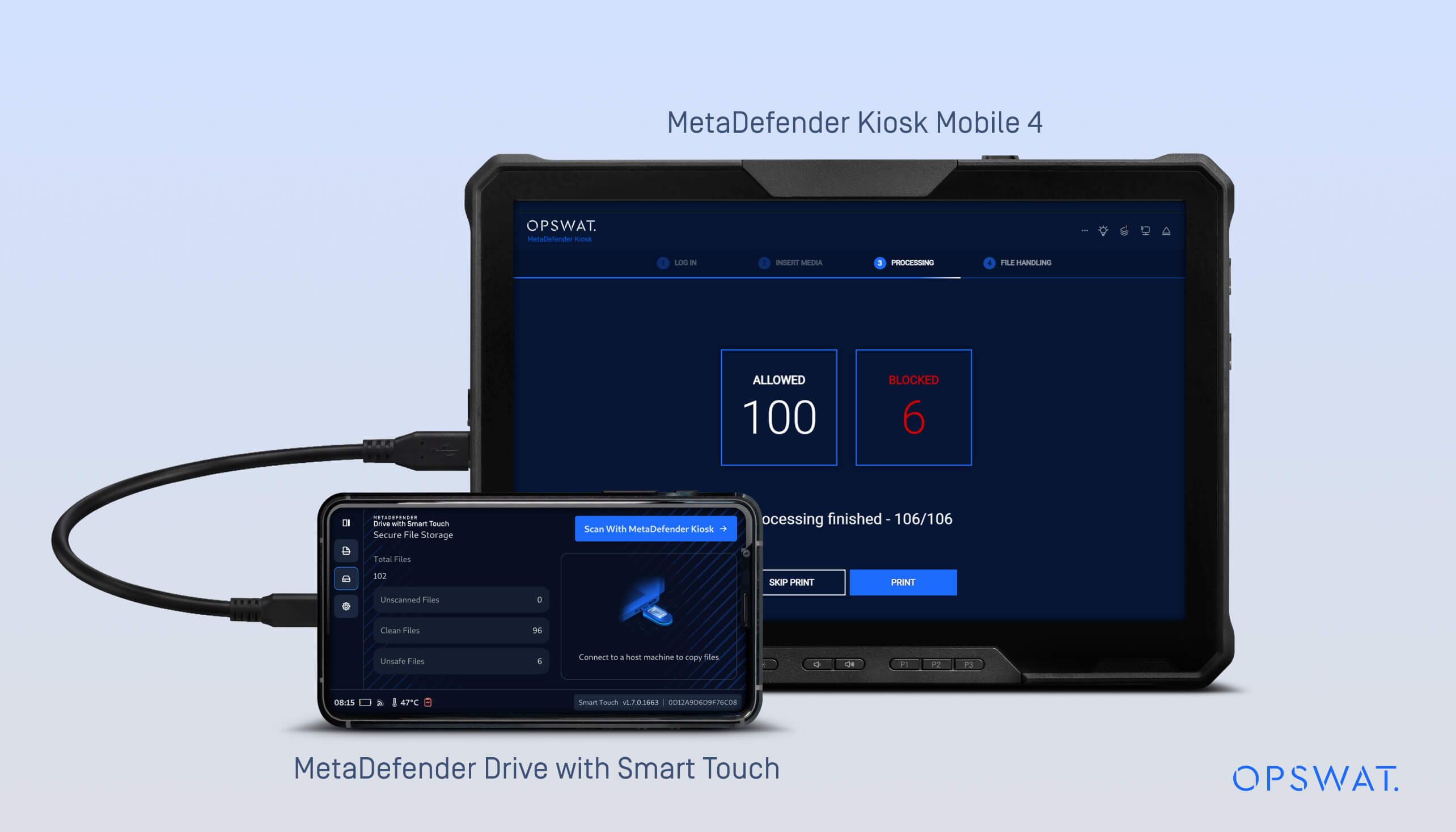
In den vorherigen Versionen wurde in MetaDefender Drive Smart Touch die Funktion Secure Storage“ eingeführt, mit der Dateien gespeichert und isoliert werden, bis sie von einem MetaDefender gescannt werden.
Seit Version 1.7.0 unterstützt Secure Storage“ nun eine manifestbasierte Integritätsprüfung, um festzustellen, ob Dateien nach Kiosk verändert wurden.
Der Arbeitsablauf:
- Die Dateien werden in den Secure kopiert.
- Drive MetaDefender Drive Smart Touch-Gerät ist mitKiosk MetaDefender Kiosk verbunden, wo die Dateien gescannt werden.
- Nach dem ScannenKiosk MetaDefender Kiosk ein Manifest, das mit einem Zertifikat signiert ist.
- MetaDefender Drive Smart Touch speichert dieses signierte Manifest und nutzt es, um zu überprüfen, ob Dateien unverändert bleiben, wenn das Gerät später zum Austausch oder zur Übertragung an andere Systeme angeschlossen wird.
- Wird das Manifest geändert, werden alle mit diesem Manifest verknüpften Dateien als unsicher markiert.
- Wird eine einzelne Datei geändert, während das Manifest weiterhin gültig ist, wird nur diese Datei als unsicher markiert.
- Nicht vertrauenswürdige Dateien müssenKiosk erneuten Überprüfung anKiosk MetaDefender Kiosk zurückgeschickt werden, bevor sie wieder als vertrauenswürdig eingestuft werden können.
Dieses Update gewährleistet:
- Überprüfung des von MetaDefender Kiosk erstellten signierten Manifests
- Die Dateiintegrität wird anhand einer von MetaDefender Kiosk erstellten signierten Manifestdatei überprüft, einschließlich einer zertifikatsbasierten Überprüfung während Kiosk
- Die Workflows für die Secure ispeicherung gewährleisten eine konsistente Überprüfung zwischen MetaDefender Drive Smart Touch und MetaDefender Kiosk
Weitere Informationen finden Sie indiesem Dokumentzur Konfiguration der Datenintegritätsprüfung mit MetaDefender Kiosk.
Option für ein Offline-Upgrade der Smart Touch-Anwendung
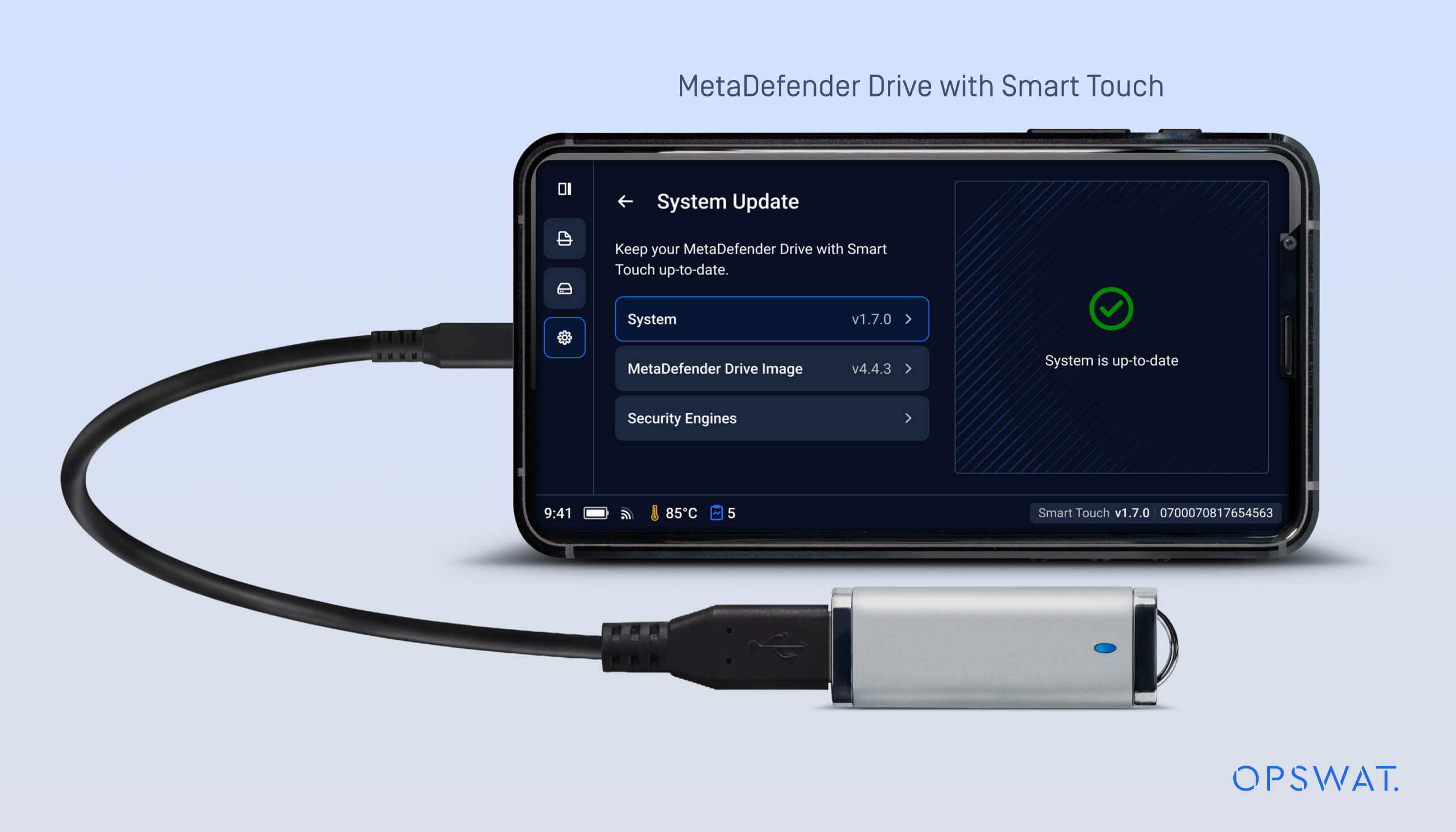
Mit dieser Version wird eine zusätzliche Offline-Aktualisierungsmethode für die Smart Touch-Anwendung eingeführt. Diese Methode bietet einen alternativen Aktualisierungsweg für isolierte Umgebungen, in denen MetaDefender Drive Smart Touch den Aktualisierungsserver nicht erreichen kann oder nur über eine eingeschränkte Verbindung verfügt.
Wenn das MetaDefender Drive Smart Touch eingeschaltet wird, prüft das System, ob ein USB mit einem Update-Paket vorhanden ist. Wird ein USB mit einem neueren, gültigen Deb-Paket erkannt, führt das Gerät das Update automatisch im Hintergrund während des Startvorgangs durch.
MetaDefender Drive Smart Touch – Offline-Upgrade-Vorgang
Offline-Anwendungsupdates können anhand der folgenden Schritte durchgeführt werden:
- Laden Sie das neueste DEB-Paket von der Update-Seite fürMetaDefender Drive Smart Touch“ im My OPSWAT herunter und kopieren Sie es auf einen USB .
- Schalten Sie das MetaDefender Drive Smart Touch-Gerät aus
- Kopiere das Deb-Paket auf einen USB
- Stecken Sie den USB in das MetaDefender Drive Smart Touch
- Schalten SieDrive MetaDefender Drive Smart Touch ein
- Warten Sie beim Systemstart auf die Überprüfung des Update-Pakets
- Wenn eine neue Version erkannt wird, wird MetaDefender Drive Smart Touch automatisch im Hintergrund aktualisiert
- Die aktualisierte Version MetaDefender Drive Smart Touch ist nach dem Systemstart verfügbar
Verbesserung der Erkennung des Betriebszustands
MetaDefender Drive Smart Touch kann nun seinen Betriebszustand erkennen – sei es beim aktiven Hochfahren oder bei der Verbindung mit einem Host-Gerät –, sodass Smart Touch das Kommunikationsverhalten entsprechend dem Gerätestatus anpassen kann. Diese Verbesserung wird durch ein aktualisiertes Kommunikationsprotokoll unterstützt, das den Stromverbrauch senkt und die Akkulaufzeit verlängert.
Details zur Veröffentlichung:
- Produkt: MetaDefender Drive Smart Touch
- Erscheinungsdatum: 12. März 2026
- Versionshinweise: Erfahren Sie hier mehr
Um MetaDefender Drive Smart Touch zu aktualisieren, tippen Sie auf dem Startbildschirm auf „Systemaktualisierung“, um die zentrale Aktualisierungsansicht aufzurufen.

